
A new notebook, monitor, or printer isn’t just an item in the inventory. If the company uses them in operation, it pays to add them to the appliance register right from the start, file the basic documentation, specify the place of use, and set the first date for the next inspection based on the actual operating conditions.
This isn’t about post-purchase panic or inspecting every new piece before it’s even plugged in. The practical problem lies elsewhere: when new office equipment isn’t registered immediately, a few months later no one knows exactly where it is, who is using it, whether it’s been moved to the warehouse or a construction site, and when it should be checked again.
Why an invoice and an asset number aren’t enough
An invoice states that the company bought something. An asset number helps with accounting and property management. However, for appliance (PAT) testing and inspections of electrical equipment, you also need operational information: where the item is used, in what environment, who is responsible for it, and when the next inspection, test, or check is due.
The employer has a general duty to ensure the safe condition of work equipment and operated devices. The specific regime is then set according to the type of equipment, the environment of use, the manufacturer’s documentation, technical standards, and risk assessment. For office equipment, it therefore makes sense to start not with an inspection as a one-off event, but with registration as a permanent system.
For more details on the registration itself, see the article Managing inspection and appliance registers in your company. This text mainly addresses the situation when a new item is being purchased or put into operation.
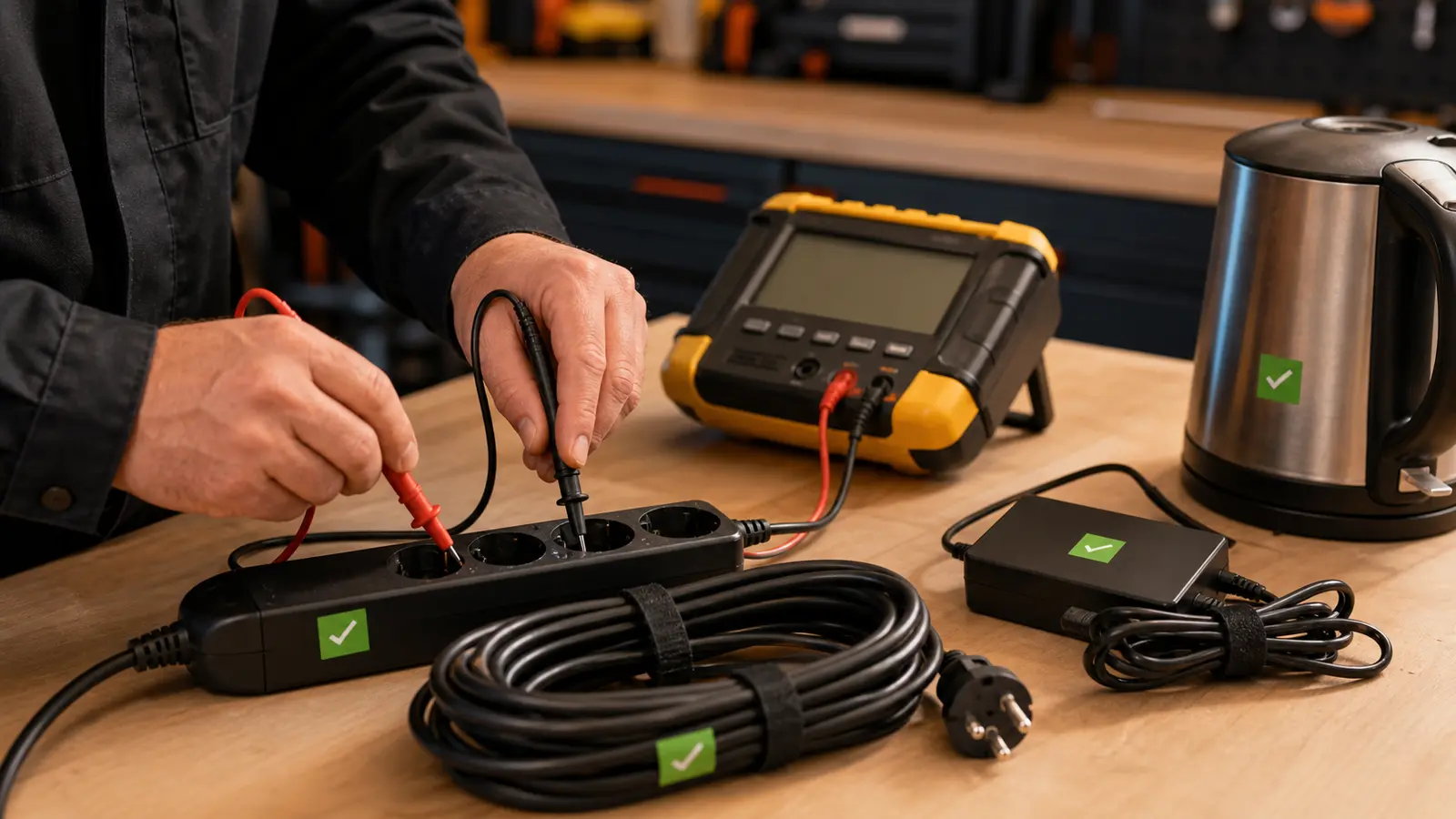
What to check when receiving new equipment
For new office equipment, a short initial procedure has proven effective in practice. It’s not a complex inspection, but about keeping things in order regarding what the company is receiving and where it’s being assigned.
Mainly check:
- whether the device, power cord, adapter, or plug is visibly damaged,
- whether the type, serial number, and supplied accessories match,
- whether you have the manual, proof of purchase, and other documentation from the supplier,
- where the item will be used,
- who will be responsible for handing it over to the user and entering it into the register.
For notebooks, it’s good to register not only the computer itself but also the power adapter. For a desktop workstation, a monitor, docking station, surge protector, or extension lead is often added. It’s precisely these small accessories that tend to be the least transparent in offices.
What to typically include in the register
In an office environment, the following are often addressed:
| Equipment | Why register it |
|---|---|
| Notebooks and desktop PCs | Due to location, user, power source, and moves between workplaces. |
| Power adapters and chargers | Can be damaged or swapped independently of the notebook. |
| Monitors and docking stations | Often moved and usually have their own power supply. |
| Printers, multifunction devices, and shredders | Standard office operation, longer lifespan, service history. |
| Kettles, microwaves, coffee makers | Typically shared appliances in the kitchenette. |
| Extension leads and surge protectors | Frequent wear and tear, moves, load from multiple devices. |
| Phone chargers and small electronics | Risk of mixing up company and private items. |
Not every item needs an equally detailed record. The point is that during the next inspection, it’s possible to trace what the company uses, where it is, and what the next due date is. For a larger company, it’s worth setting up the register uniformly across offices, the warehouse, and operations.
How to set the first due date without unnecessary certainties
For new office equipment, the most important thing is the date of putting into operation. From this, it’s possible to reasonably determine when the first subsequent inspection or test should take place according to the regime used.
The inspection interval is not determined by the purchase itself, but mainly by the environment and method of use. A notebook permanently placed in a clean office is assessed differently than the same notebook that an employee carries between branches, the warehouse, and a construction site. Similarly, a standard monitor in an open space is not the same as an extension lead used in a workshop.
A specific overview of intervals and operational groups can be found in the article Appliance (PAT) testing and power tool inspections in companies: intervals and penalties. For new purchases, it’s practically enough to ensure that the first due date is entered into the register immediately, not retroactively just before an inspection.
Office, warehouse, workshop, and construction site are not the same
The most common mistake occurs during moves. A technician buys a notebook for the office, but three months later the site manager is using it on a construction site. Or an extension lead is moved from a clean administrative workplace to the warehouse. However, the original location and the corresponding regime remain in the register.
Therefore, the register should also include the environment of use, not just the name of the equipment. If the environment changes, the change should be reflected in the record and possibly in the next due date. For companies with multiple locations, it’s good to agree on a simple rule: whoever moves an appliance between workplaces reports it to the person managing the register.
Who should register new items
In a small company, this is often handled by the managing director, office manager, or accountant who sees new invoices. In a larger company, it’s the facility manager, building manager, IT department, warehouse manager, or OHS technician. What’s important isn’t the job title, but clear ownership of the process.
The process can be simple:
- Purchase of electrical equipment.
- Initial visual inspection and filing of documents.
- Assignment of a registration number.
- Entry into the appliance list.
- Determination of operation and next inspection date.
- Handover to the user.
If this procedure isn’t agreed upon, new items easily scatter throughout the company. Some are in IT, some in the office, some in the warehouse, and some at employees’ homes. During the next inspection, the certified electrical inspector then doesn’t get a real list, only an estimate.
Typical mistakes with new office equipment
Purchase outside the register. Someone buys a monitor, charger, or extension lead for the company, plugs it in, and no record is made. After a while, it’s unclear whether it’s a company or private item.
Private chargers without rules. Employees bring their own adapters, kettles, or fans. If the company tolerates them in the workplace, it should have a clearly defined regime for what is permitted and what doesn’t belong in operation.
Moves without changing the record. Equipment is moved from the office to the warehouse or a construction site, but the register isn’t updated. The due date may then not correspond to actual use.
Extension leads off the list. They are bought individually, remain under desks, and are often only addressed when there’s a problem. Yet they are an important part of office operations.
Documents in a box that gets thrown away. The manual and manufacturer’s documentation can be useful when setting the usage regime and for later repairs. Store them at least electronically.
Mini checklist for a new purchase
When a new electrical appliance or piece of office equipment arrives at the company, go through a short list:
- visibly undamaged item, cable, adapter, and plug,
- stored proof of purchase and available manufacturer’s documentation,
- assigned registration or asset number,
- recorded location and responsible person,
- stated date of putting into operation,
- set next inspection date according to the environment,
- clear rules for moving to another workplace.
These few minutes upon purchase significantly simplify subsequent appliance (PAT) testing and power tool inspections. The certified electrical inspector then doesn’t have to deal with searching but works with a specific list.
How SOHE helps
During appliance (PAT) testing, SOHE can help not only with measurements but also with registration. For companies that purchase new office equipment on an ongoing basis, it makes sense to unify the appliance list, labels, and due dates so that new items are added continuously.
When working on-site, we help:
- go through the appliance list and add missing items,
- set up registration for notebooks, monitors, adapters, extension leads, and shared appliances,
- label items with tags,
- recommend subsequent due dates according to the environment of use,
- link appliance (PAT) testing with OHS and electrical documentation.
If you are setting up a new office, equipping a branch, or just want to tidy up your existing register, send us a no-obligation inquiry. We will propose a procedure based on the actual number of items and operations.
Frequently Asked Questions
Is it necessary to arrange an inspection for a new notebook immediately after purchase?
For new office equipment, the first steps in practice are usually adding it to the register, a visual inspection, filing documents, and setting the first date for the next inspection. The specific regime depends on usage, environment, and the company’s internal system.
Do chargers and adapters also belong in the register?
Yes, it practically makes sense. An adapter can be lost, swapped, or damaged independently of the notebook. If it has its own registration number or at least a clear link to a specific device, it’s easier to trace later.
What about extension leads under desks?
Extension leads and surge protectors are often a blind spot in offices. It is recommended to include them in the register because they are moved, loaded by multiple devices, and their damage may not be visible at first glance.
Who should register new appliances?
It can be the office manager, facility manager, IT, operations manager, or another authorized person. The key is that it’s clear who makes the entry upon purchase and who handles changes when an item is moved.
How often is office equipment inspected?
The interval is set according to the type of appliance, environment, and method of use. A standard office, warehouse, workshop, and construction site are assessed differently. You can find an overview in the article on appliance (PAT) testing intervals.
What the article is based on
- Appliance (PAT) testing and power tool inspections – SOHE service.
- Managing inspection and appliance registers in your company – how to keep a list, labels, and due dates.
- Appliance (PAT) testing and power tool inspections in companies: intervals and penalties – related overview of intervals.
- Act No. 262/2006 Coll., Labour Code.
- Act No. 309/2006 Coll. on ensuring further OHS conditions.
- Government Regulation No. 378/2001 Coll. on detailed requirements for the safe operation and use of machinery, technical equipment, devices, and tools.
- Government Regulation No. 190/2022 Coll. on designated technical electrical equipment.
- Government Regulation No. 194/2022 Coll. on professional competence in electrical engineering.
The text is for informational purposes and does not replace a legal opinion. The specific regime for registration, checks, and inspections must be set according to actual operations, manufacturer’s documentation, environment of use, and risk assessment.